
Forestry software features
One forestry app for the entire project, from map to plots to finished reports.
Some features depend on your plan. See plan comparison.
In the woods
A timber cruising app optimized for the field.
Big targets, clear screens and a tally that follows your cruise method. It works with no signal, and it syncs by itself when you get one.
“Even a dinosaur like me can figure it out.”
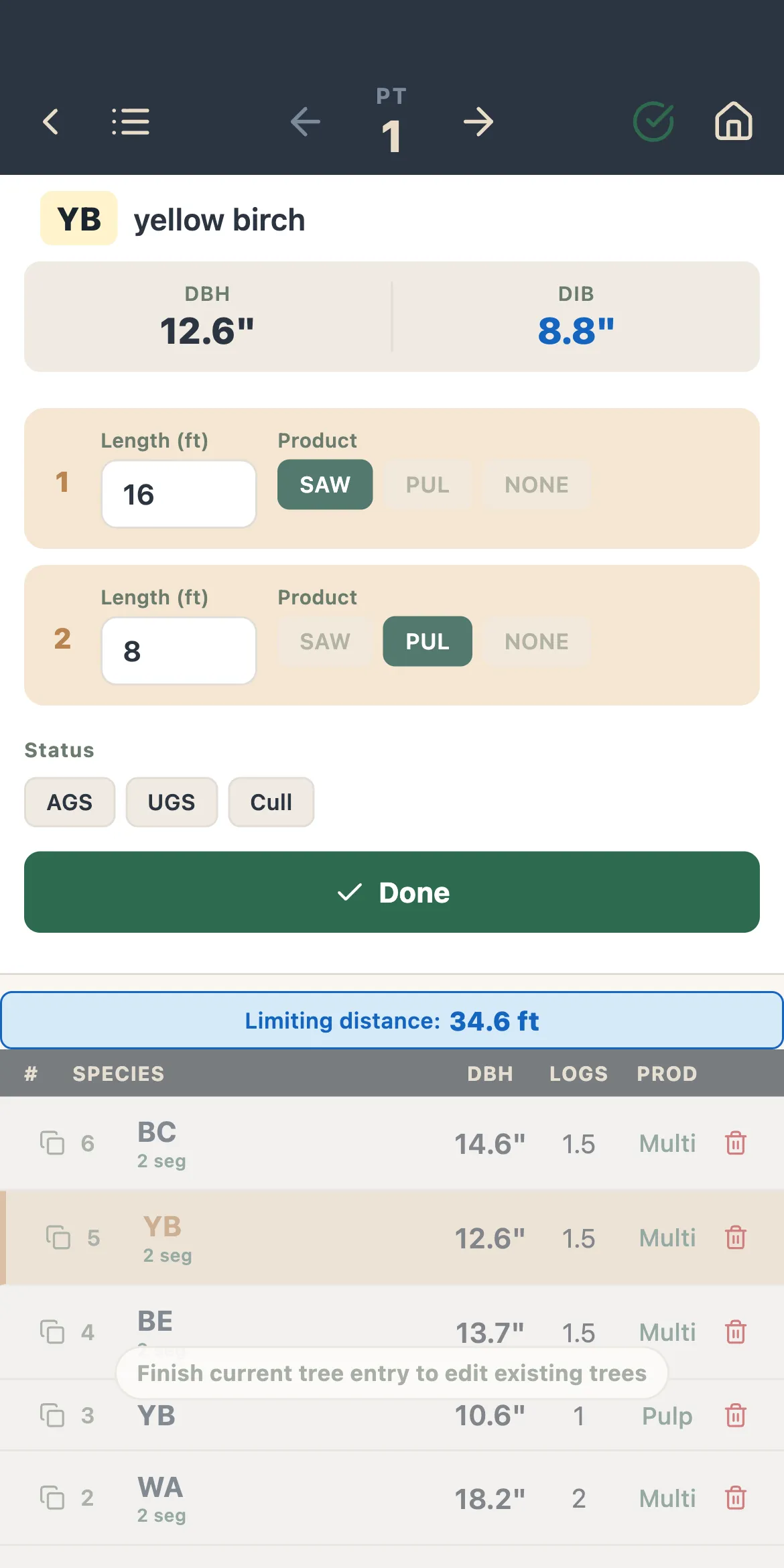
- Every timber cruise method
- Prism plots at any BAF, fixed-area plots of any size, double sampling (big BAF), and 100% tally.
- Dot Tally
- Tally trees the way you would on paper dot-tally sheets, only faster.
- Voice Tally
- Call out species, diameter and product and keep your eyes on the tree. On phones and tablets.
- A tally set up your way
- Diameters by button or keypad to a tenth of an inch. Heights by keypad, pick list, or logs and half-logs. Products called by height or log by log.
- Products by species
- Set product specifications for each species, with minimum and maximum DIB or DBH. Up to 20 products, depending on your plan.
- Tree details when you need them
- Set up custom fields for cut/leave, status (AGS/UGS), crown ratio, or any other metric.
- Custom plot and stand data
- Add the fields your clients or agency asks for: checklists, pick lists and tables.
- Ecological features
- Regeneration, snags, downed woody material, ground cover, invasives, and wildlife habitat evaluation like the Foresters for the Birds program.
- Field camera
- Plot photos stamped with location, elevation, bearing and slope, attached to the plot.
Maps & GPS
The map is part of the timber cruise.
Boundaries, stands, plots and tracks share one map, and it keeps working where the signal stops.
“I love the soils, the parcel maps, and the ability to lay out a cruise grid.”
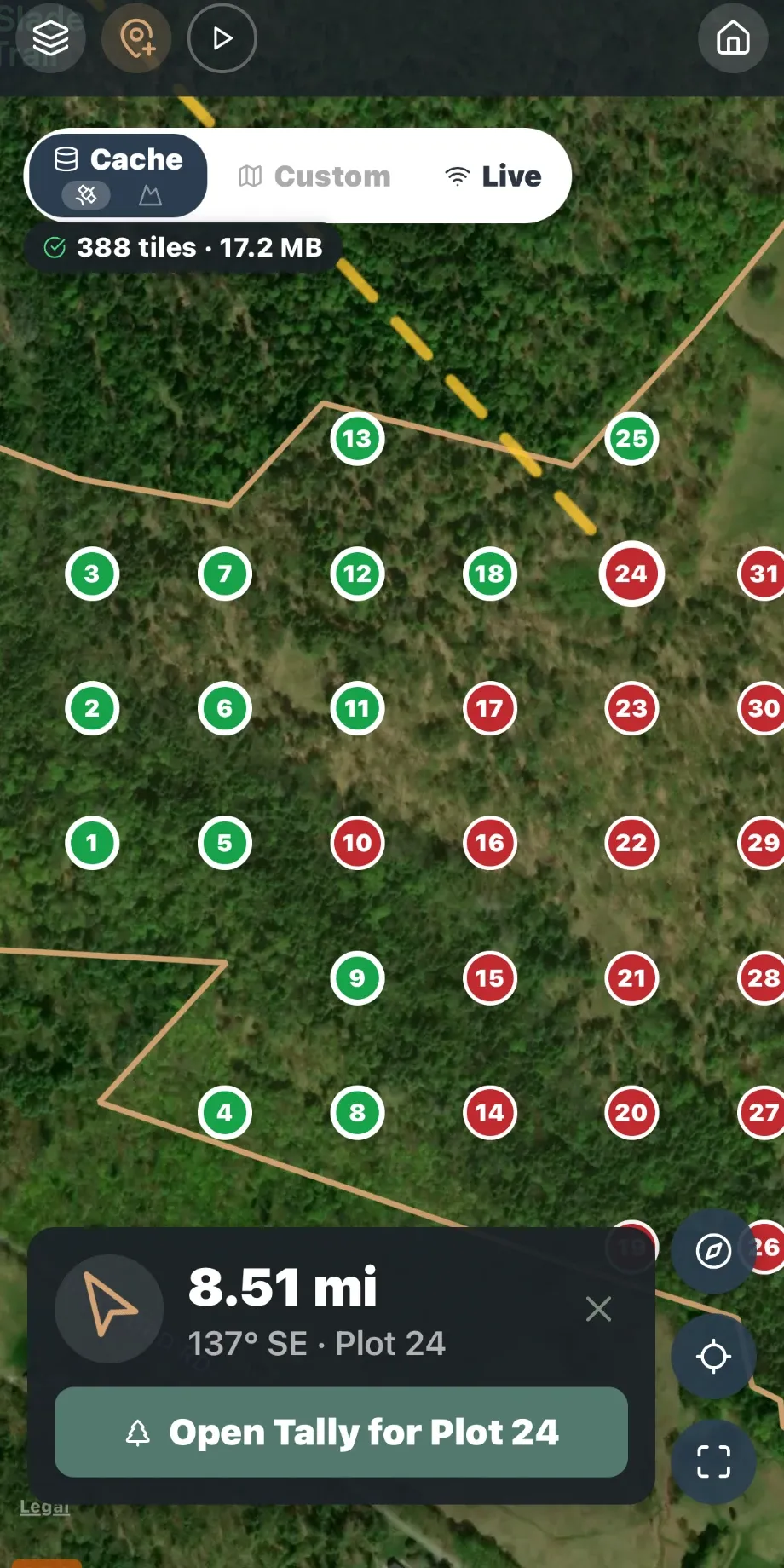
- Boundaries in, stands drawn
- Choose a parcel from the map, import boundaries from KML or GeoJSON, draw manually, or not at all.
- Cruise grid layout
- Set spacing, bearing, and edge buffer. Give it a CV and a confidence level and it tells you how many plots you need.
- Densify stands
- Add plots where you need them: a minimum per stand, a number per acre, or enough to hit a target sampling error.
- Navigation and offline maps
- Walk plot to plot on satellite, topo or street maps saved to the device before you lose signal.
- Waypoints, tracks and stand lines
- Record where you walked and mark what you found, with GPS precision you can tune against battery life.
- High-resolution offline maps
- Save imagery at up to zoom 18 for sharp detail with no signal.
- NRCS soils
- Soil map units and site index by species from the USDA soil survey. Even auto-establish stands using soil boundaries.
- Parcel lines
- Tax parcels are shown on the map. Pick one or more to establish timber cruise boundaries.
- Your own PDF maps
- Load a georeferenced PDF and use it offline like any other map. Drop Avenza.
- Maps out
- Printable maps of stands, plots, species and tree size, and KML, Shapefile or GeoJSON for your GIS.
The math
The forestry math, no black box.
Standard log rules and taper models, the statistics behind every estimate, and every detail of every tree calculation.
22 seconds to analyze a real 10,008-tree cruise on an iPhone 17 Pro.
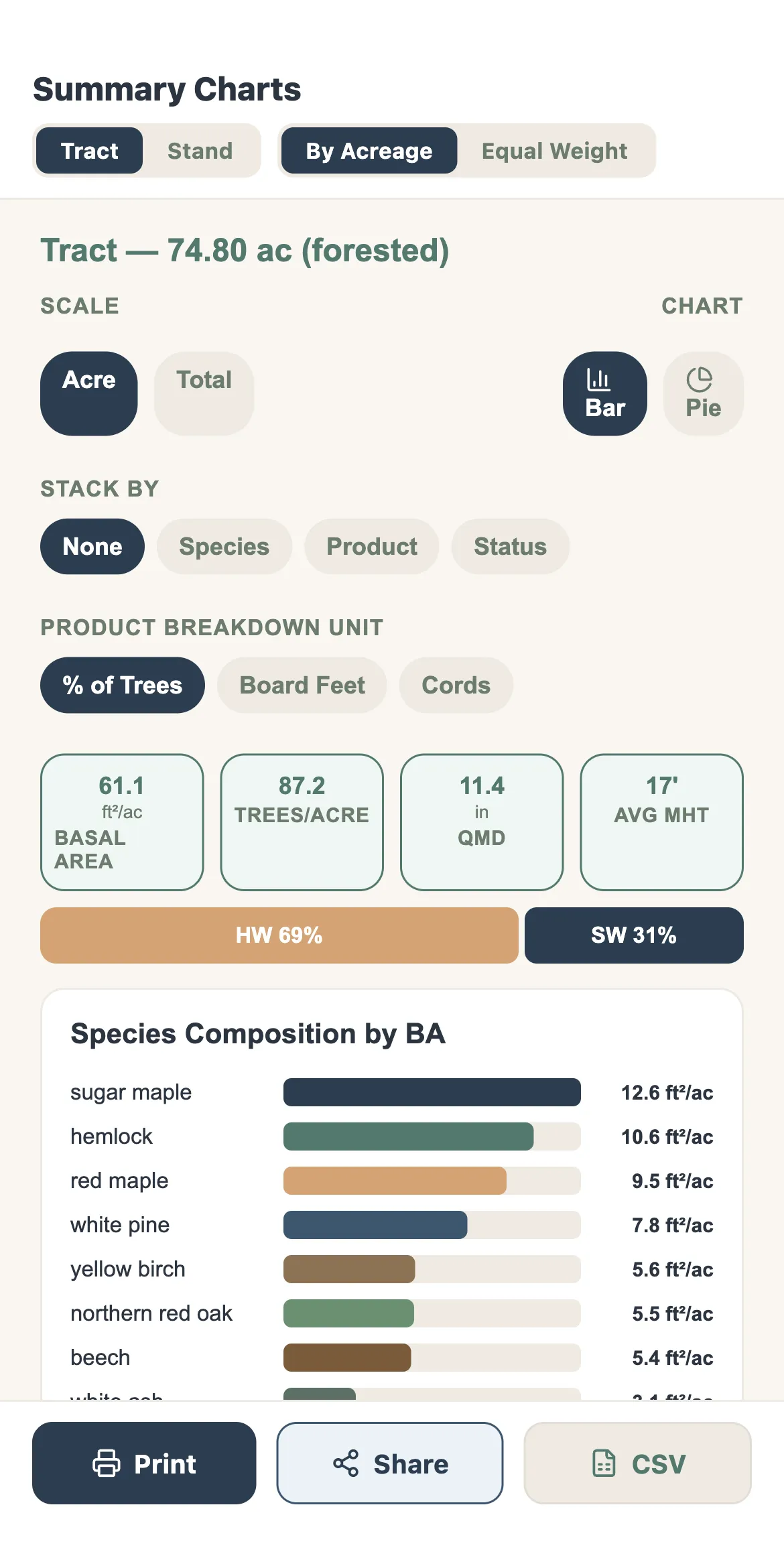
- Log rules and units
- Scribner, Doyle, and International ¼″ and ⅛″. Board feet, cubic feet, cords and tons, gross and net, with optional topwood.
- Taper models
- Mesavage & Girard (Parker 1998) by default, plus Clark & Souter and Behre’s hyperbola.
- Sampling statistics
- Standard deviation, coefficient of variation, standard error and confidence intervals for every stand, plus how many more plots are required to achieve your accuracy goal.
- Stumpage values
- Set pricing for every species and product.
- Complete individual tree detail
- Review taper, log section diameters and volumes, expansion factors, and more.
- Stand density and stocking
- Gingrich and Leak stocking guides, Reineke relative density and stand density index.
- Carbon and biomass
- Whole-tree biomass for bole, branches and foliage, and roots, reported in dry or green tons, carbon, and CO₂e.
- FIA comparisons
- Compare your stand with Forest Inventory and Analysis plots of the same forest type in your region.
- Custom volume rules
- Import your own volume rules and tables.
Reports
Forest inventory reports you can understand.
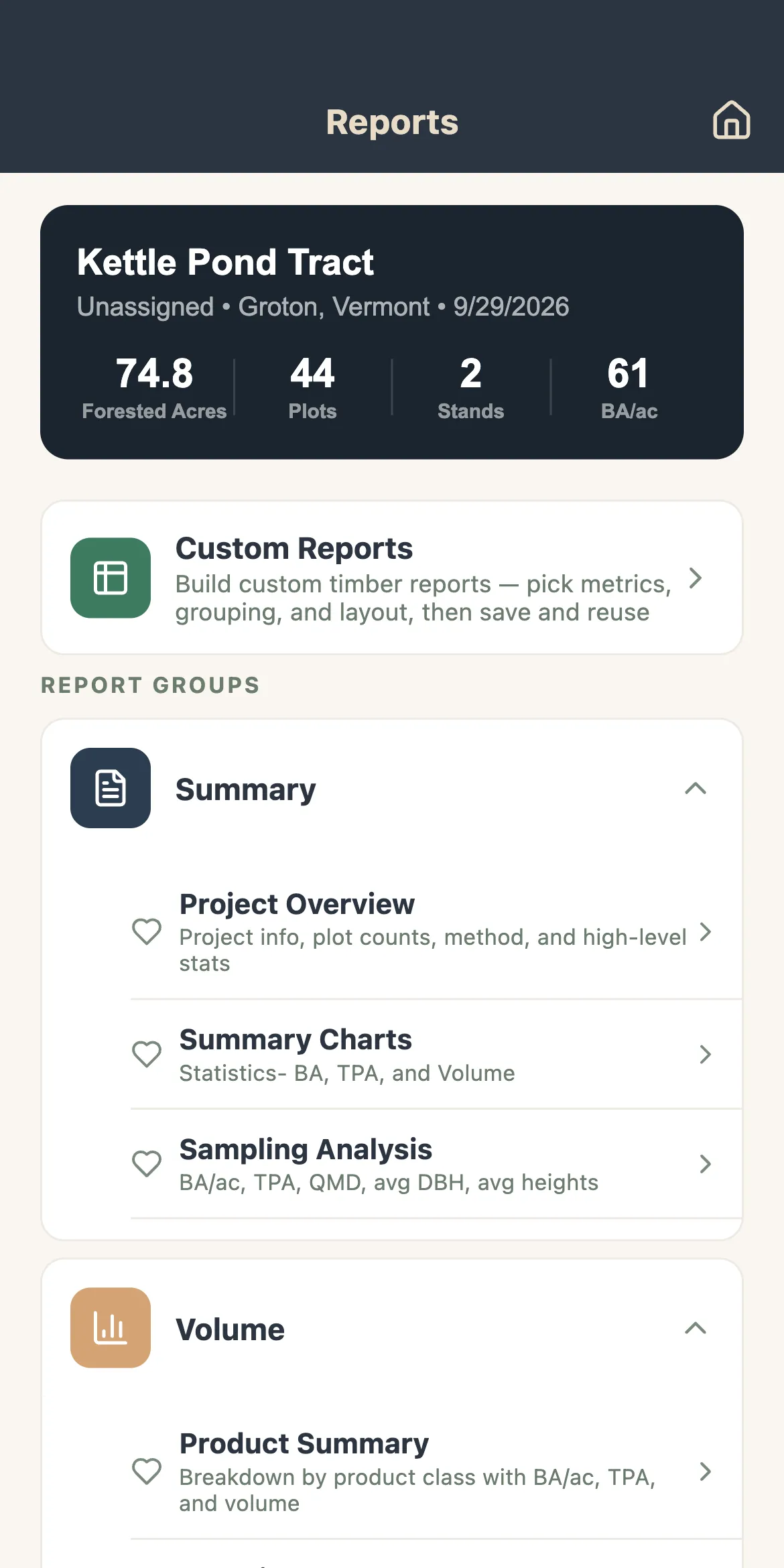
Reports in every format, of every metric, printable to PDF and exportable to Excel, from the device in the field or the browser in the office.
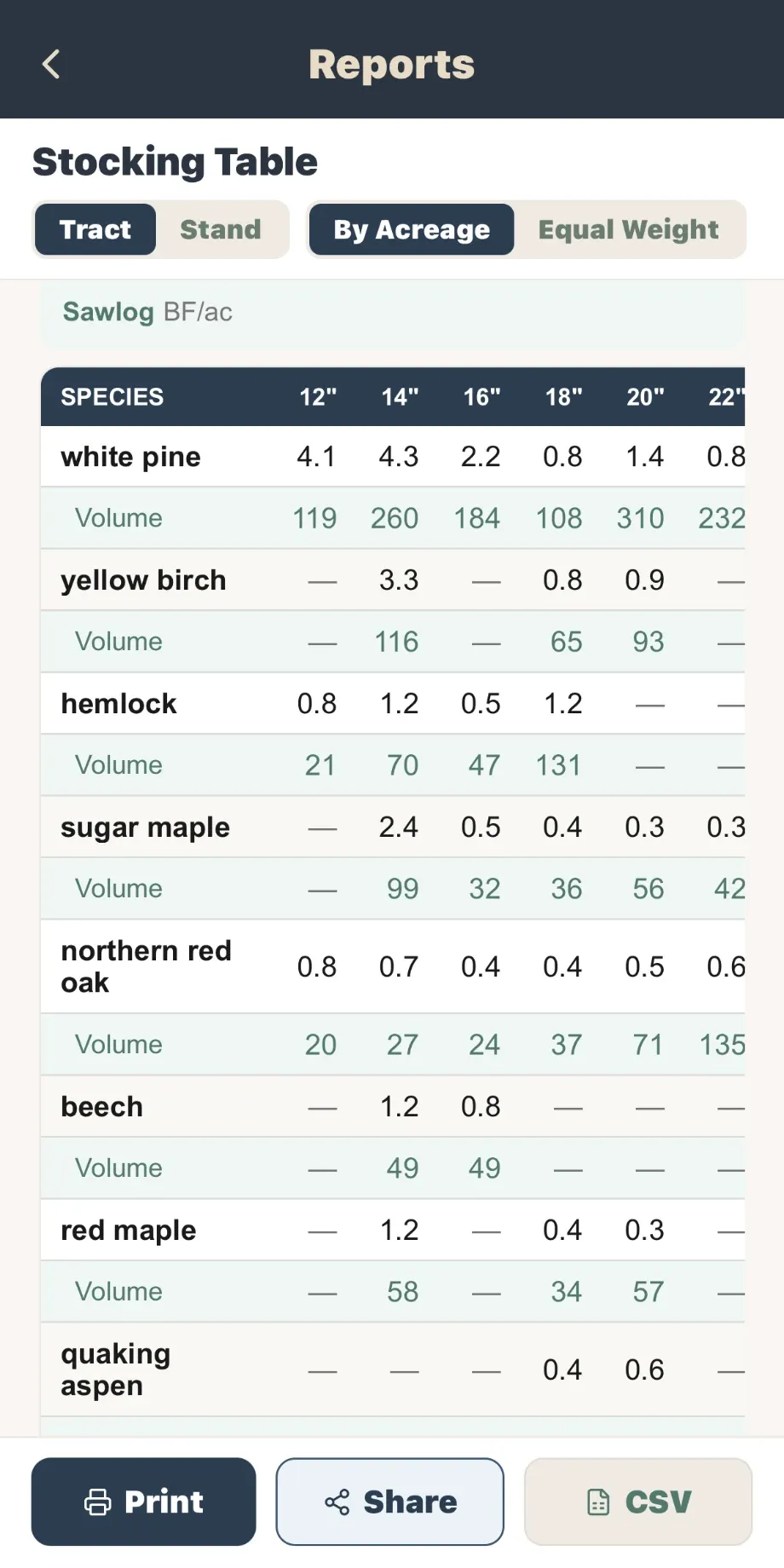
- Summary
- Project overview, summary charts and sampling analysis.
- Dynamic reports
- Full pivot-table style functionality to build exactly the report you need.
- Volume and stocking
- Product summary, stocking tables, diameter distributions and stocking graphs.
- Value
- Product value summary and values by species and product.
- Tree and plot data
- Complete and detailed tree lists, plot observations, and basal area by plot.
- Ecology reports
- Regeneration, downed woody material and snags, in total and by species.
- Report builder and styling
- Build and save your own report layouts, with multiple font and style options.
- Exports to other software
- Excel workbook of every piece of data and setting, plus exports for SILVAH, NED-3, and FVS.
- Custom management plans and sale prospectus
- Back in the office, documents automatically fill in the data, with room for your own narrative, photos, maps, etc.
Office & team
The forestry software also runs in your browser.
Everything from the field is backed up and waiting in the office by the time you get there.
“It is reducing my field time and office time tremendously.”
- Automatic cloud sync
- Data is stored locally and syncs to the cloud automatically. No cables, no file copying, and no additional software.
- Office pages
- Your clients and their parcels, shared cruises and reports, in any web browser.
- Share a project
- Share a project or a template with any FM user, as an editor or a viewer, and revoke access at any time.
- Organizations and roles
- Owners, admins, cruisers and viewers, with invitations by email.
- Devices
- One active device per license – log in from any phone, tablet, or browser.
- Import data from Excel
- Bring data in from an Excel workbook, with species and products automatically matched as you go.